Blip AI Review: A Smarter Way to Turn Speech Into Polished Text
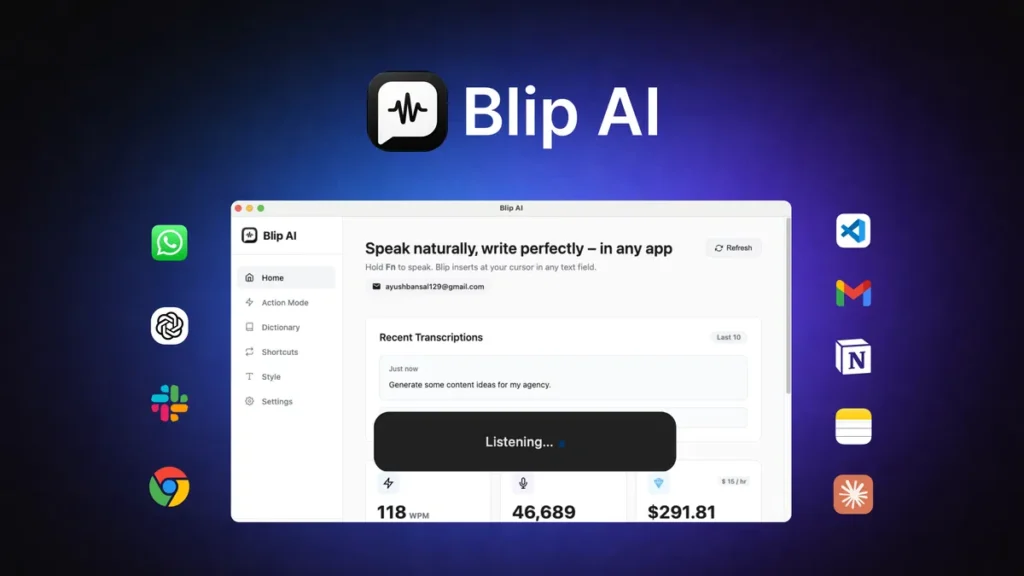
Voice dictation tools have been around for years, but let’s be honest, a lot of them still feel clunky. You speak, they mishear half the sentence, throw in strange punctuation, and somehow turn a simple thought into a small mess. That’s where Blip AI tries to do something different. Instead of acting like a basic speech-to-text utility, it positions itself as a more refined writing companion, one that helps shape spoken words into cleaner, more usable text.
Actually, that distinction matters more than it might seem at first.
A standard dictation app usually behaves like a fast typist. It hears your words and dumps them onto the page as-is. Blip AI feels more like a helpful editor standing beside you, tidying things up while you talk. If you’re someone who thinks quickly, juggles ideas on the go, or simply gets tired of typing long emails and notes, that kind of assistance can make everyday work feel a lot less tiring.
What Blip AI Is Really Meant For
At its core, Blip AI is built for people who want to speak naturally and end up with text that looks intentional, not chaotic. That includes writers, founders, marketers, students, remote workers, and even developers who would rather verbalize a thought than hammer away at a keyboard.
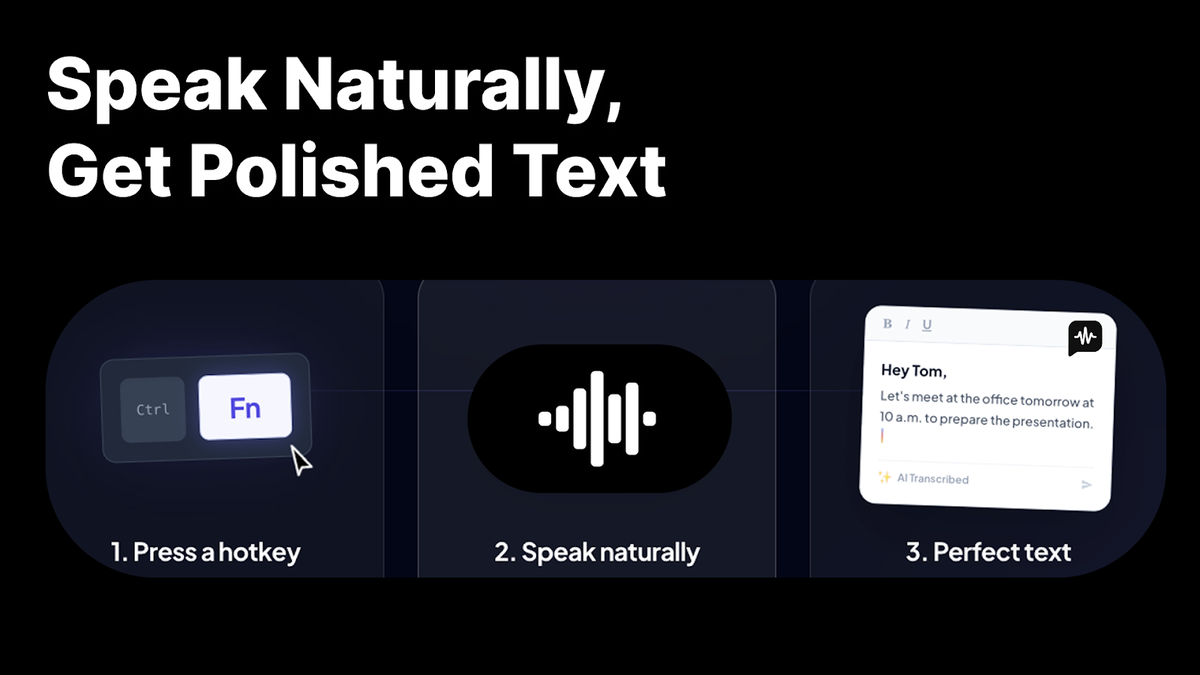
Think of it this way: typing is like carrying water one cup at a time, while speaking is like opening the tap. The ideas come out faster. The problem, of course, is that raw speech is usually messy. We pause, repeat ourselves, change direction mid-sentence, and toss in filler words without noticing. Blip AI is designed to bridge that gap between human speech and readable text.
That makes it especially useful in real-life situations where speed matters. Maybe you are replying to clients between meetings, drafting ideas for a blog post while walking, or capturing a sudden burst of inspiration before it disappears. In those moments, the tool is less about flashy AI and more about reducing friction. And that’s often where the real value lives.
Everyday Features That Stand Out
One of the more appealing things about Blip AI is that it aims to work across different apps rather than trapping you inside one isolated workspace. That means you can potentially use it where you already spend your time, whether that’s email, documents, chat platforms, or note-taking apps. For many users, that convenience alone makes a difference. Nobody wants to keep hopping between windows just to dictate one paragraph.
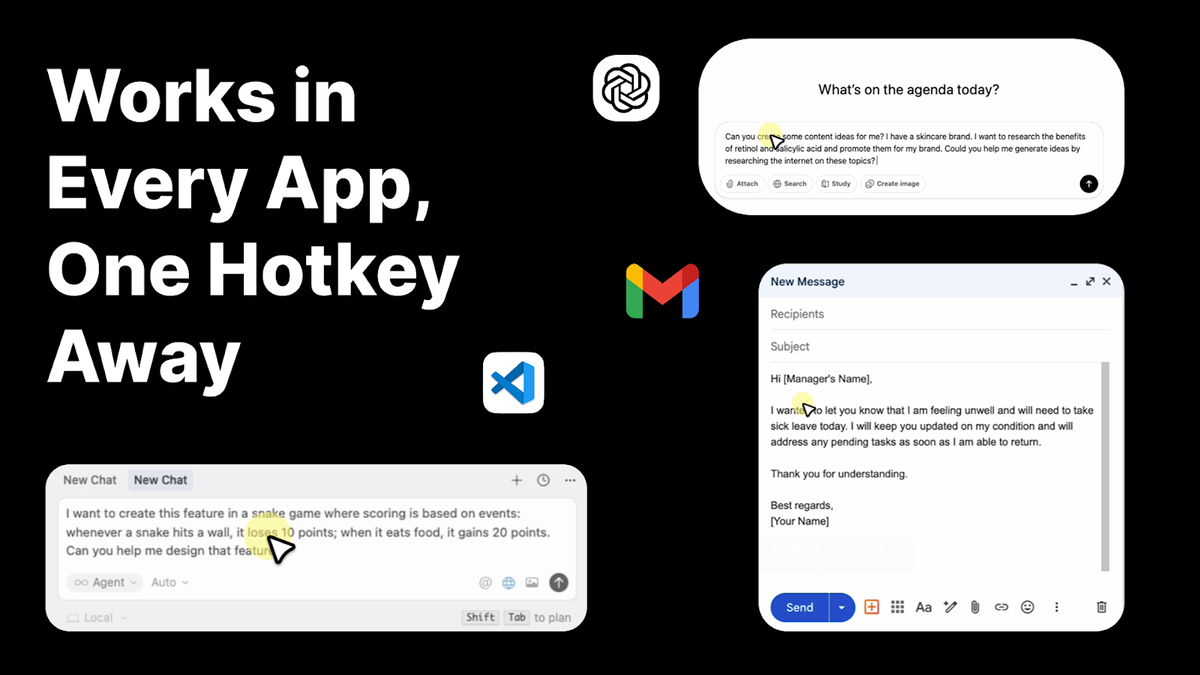
Another notable feature is its ability to clean up speech as it becomes text. This may sound small, but it changes the experience dramatically. A lot of people don’t speak in neat, ready-made sentences. They speak in fragments, loops, and unfinished thoughts. Blip AI attempts to smooth that rough material into something more presentable. So instead of getting a transcript that reads like a rambling voicemail, you get something closer to a draft you can actually use.
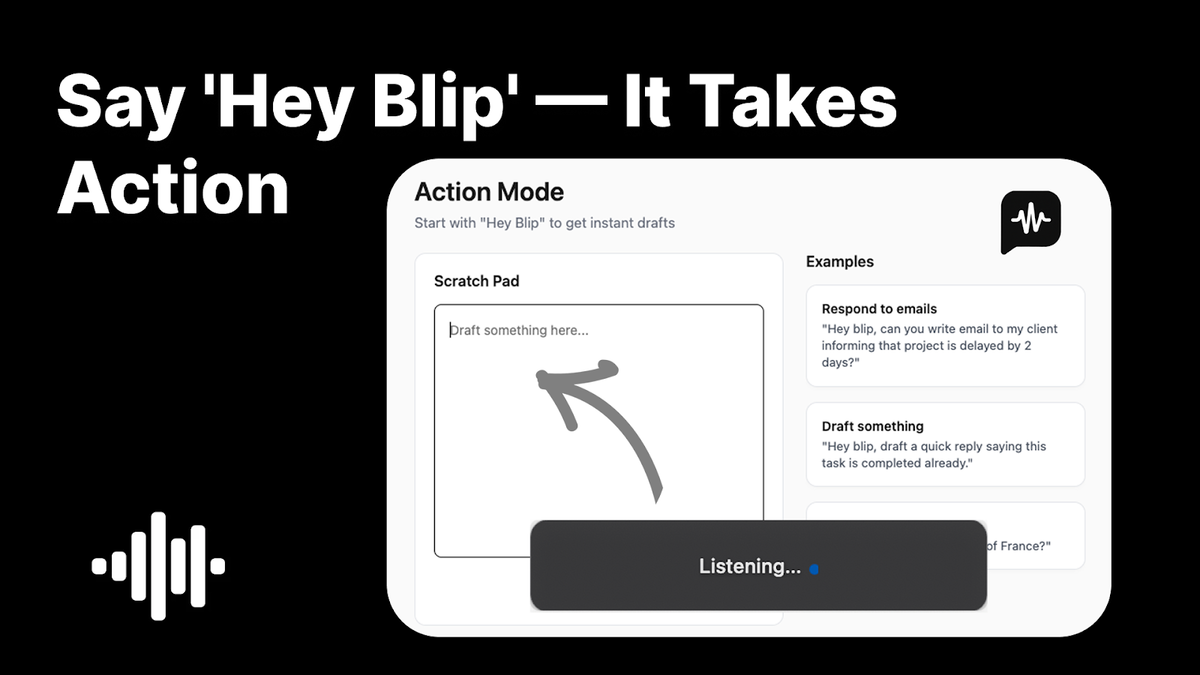
There is also the convenience of voice-triggered commands and quick dictation access. In practice, this can make the tool feel less like software and more like an extension of your workflow. You stop thinking, “I need to open a dictation app now,” and start thinking, “I’ll just say this out loud.” That shift is subtle, but it matters. Good tools disappear into the background.
Well, that’s usually the point of productive software, isn’t it? The best ones don’t show off. They simply make the task feel easier.
How It Feels in Real Use
A review is only useful if it connects with actual work, so let’s make it practical.
Imagine you run a small agency and need to send follow-up messages after back-to-back calls. Instead of typing from scratch while your mind is already on the next meeting, you speak your thoughts: thank the client, recap the goals, mention the next steps, and keep the tone warm. Blip AI can help transform that spoken stream into a tidier message that needs only light editing.
Or picture a freelance writer collecting article ideas while making coffee. Rather than opening a notebook and trying to pin every thought down manually, they speak a rough outline aloud. Intro concept, key points, examples, closing angle. With Blip AI, that brainstorm can become a usable text block instead of a scrambled transcript full of “uh,” “maybe,” and half-finished phrases.
It can also be handy for people who experience typing fatigue. Not everyone wants to spend hours hunched over a keyboard. For users dealing with repetitive strain, burnout, or simple end-of-day exhaustion, speaking can feel far more natural. In that sense, Blip AI is not just about speed. It’s about ease.
Features Worth Knowing About
Rather than cramming in an oversized list, it’s better to focus on the features that shape the experience most clearly.
Blip AI offers speech-to-text dictation designed for fast text input across everyday applications. That broad usability is important because it means the tool can fit into an existing routine instead of forcing users to rebuild one.
It also emphasizes text cleanup and refinement. This is where the software begins to separate itself from plain dictation tools. Spoken thoughts are often cluttered; polished writing is not. The promise here is that the jump from one to the other becomes shorter and smoother.
Another useful element is hands-free interaction through voice commands or quick activation behavior. That can make dictation feel almost conversational, especially for users who bounce between tasks quickly and want to capture ideas before they vanish.
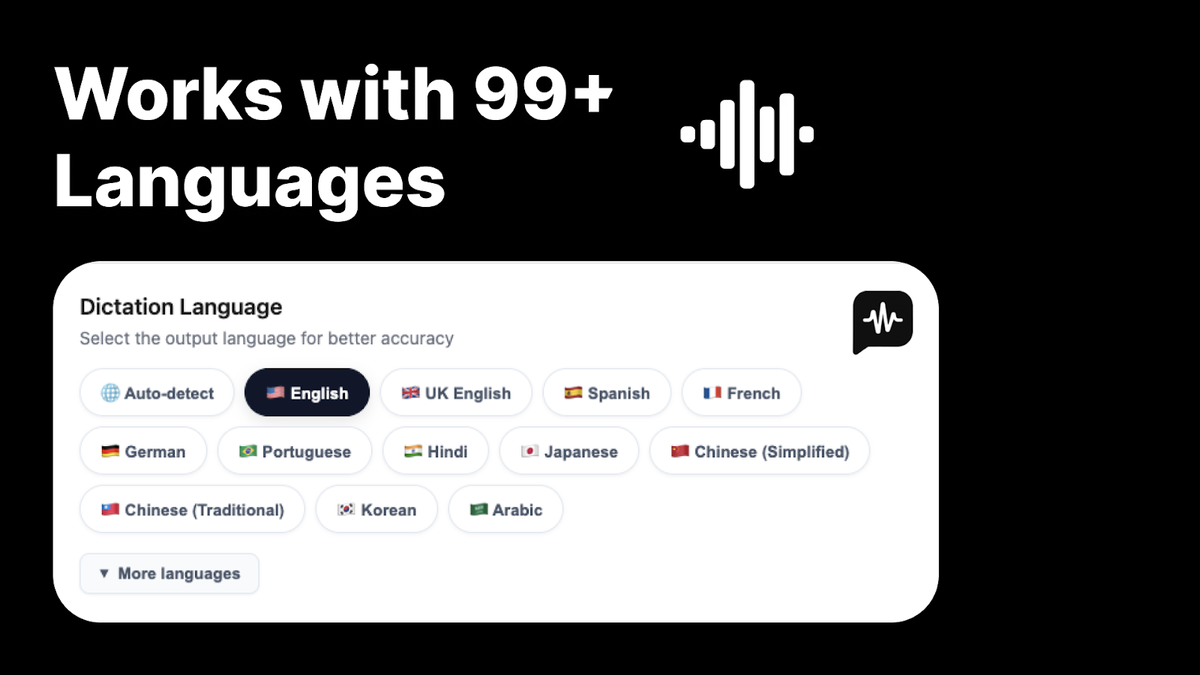
Multilingual support and customization features also matter. People don’t all speak the same way, use the same terminology, or follow the same rhythm. A tool that adapts to names, phrases, and unique word habits tends to feel much more personal over time.
And then there is the privacy angle, which many users now pay attention to far more than they did a few years ago. When a voice tool is part of your daily routine, it naturally handles sensitive material: work notes, messages, client comments, unfinished drafts. Trust becomes part of the product experience, not just a background detail.
Where Blip AI Fits Best
Not every tool is for every person, and that’s perfectly fine. Blip AI makes the most sense for users who generate lots of text and want less resistance between thinking and writing. If you’re someone who naturally speaks in full ideas, you may find it surprisingly fluid.
Writers can use it to draft rough sections quickly. Founders can use it to capture strategy notes between calls. Students can talk through study summaries. Customer support teams might use it to speed up internal notes or response drafts. Even creators scripting videos or podcasts may appreciate how quickly spoken ideas can become editable copy.
What’s interesting is that the software seems to sit in that middle ground between a raw transcription engine and a full-blown AI writing platform. It doesn’t try to replace your voice. Instead, it tries to make your voice more usable in digital form. That’s a sensible lane.
Click Here To Learn More About Blip AI
Blip AI Appsumo Lifetime Deal
 No matter how impressive your typing speed is, replying to every message is slowing you down. Blip AI lets you turn your voice into clean, formatted text for any app the moment you press a hotkey.
ONE-TIME PURCHASE OF $49 $144
How To Get an Extra 10% Discount on Blip AI?
- Visit the “Blip AI Lifetime AppSumo Deal” page.
- Wait for some seconds, An Discount popup will appear.
- Enter your Email to receive the exclusive benefits.
- Check Your Email Inbox For Next Instructions.
- Get a 10% discount at the end.
- Discount valid for new users only.
So if the main price of Blip AI is $49, after getting a 10% discount you can buy it for $44 for your Lifetime. hurray !!!

Alternative to: WisprFlow
Integrations: API, Rest API
Best for: Content creators, Marketers, Small businesses
Final Thoughts on Blip AI
So, is Blip AI worth paying attention to? Yes, especially if your daily work involves writing, dictating, editing, and switching between ideas at speed. It appears to be built for people who want to speak naturally and end up with text that feels cleaner, sharper, and closer to publishable from the start.
It won’t magically turn every spoken thought into literary perfection, of course. No voice tool does. But Blip AI seems to understand a simple truth: people don’t want a transcript, they want something useful. And that, more than anything, is what makes it interesting.
If modern writing often feels like a race between your brain and your keyboard, Blip AI offers a more natural pace. You talk, it helps shape the message, and your ideas get to the page with less friction. Sometimes that’s exactly the kind of quiet improvement that changes how work feels every single day.
Do you Want 10% Discount On All Appsumo Products?
Click Here To Join On Appsumo Plus !
Alert !
Most deals are out of stock within a week of coming to Appsumo. So take it now if you need it. Also, check the amazing deal On this Site.