Shareables Lifetime Deal by Appsumo
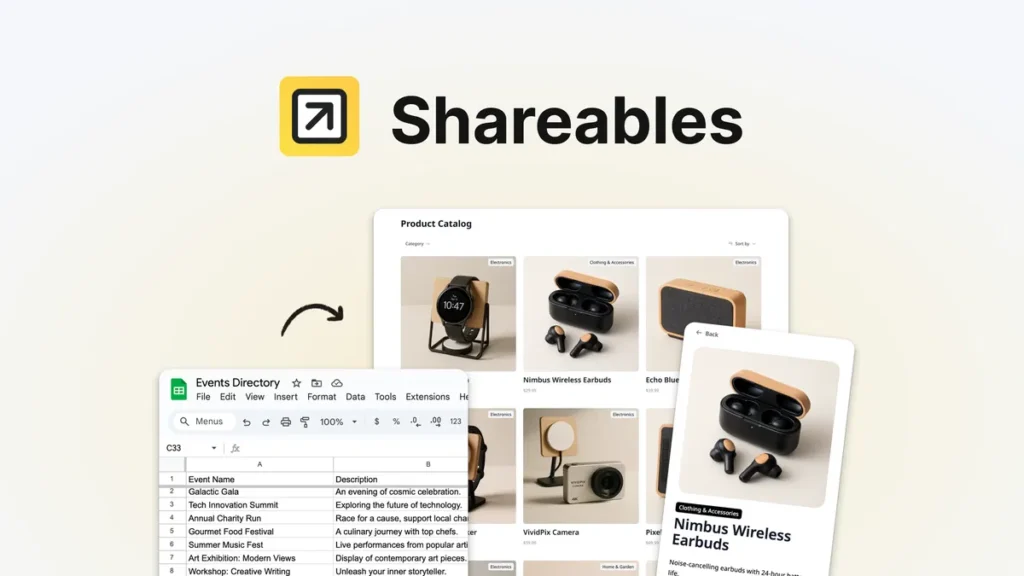
 Embedding data on your website shouldn’t feel like you’re duct-taping a clunky spreadsheet to your page. Shareables lets you turn your Google Sheets, Airtable, or Notion into a real website—without any coding.
ONE-TIME PURCHASE OF $59 $96
Integrations: Airtable, Google Sheets, Notion, Webflow
Best for: Marketers, Small businesses, Solopreneurs
How To Get an Extra 10% Discount on Shareables?
- Visit the “Shareables Lifetime AppSumo Deal” page.
- Wait for some seconds, An Discount popup will appear.
- Enter your Email to receive the exclusive benefits.
- Check Your Email Inbox For Next Instructions.
- Get a 10% discount at the end.
- Discount valid for new users only.
So if the main price of Shareables is $59, after getting a 10% discount you can buy it for $53 for your Lifetime. hurray !!!

Do you Want 10% Discount On All Appsumo Products?
Click Here To Join On Appsumo Plus !
Shareables Review: A Smarter Way to Turn Spreadsheets Into Beautiful Websites
There’s something oddly satisfying about turning a messy spreadsheet into a polished website. Not long ago, doing that required a developer, a designer, and probably a few late-night troubleshooting sessions. Now? Tools like Shareables are changing the game entirely.
If you’ve ever wanted to build a directory, resource hub, job board, affiliate site, or even a sleek little business portal without touching code, then Shareables might feel surprisingly refreshing.
And honestly, that’s the best word for it — refreshing.
A lot of no-code tools try to do everything. They become bloated, confusing, and packed with features you’ll never actually use. Shareables takes a different route. It focuses on one simple idea: helping people turn data into live, usable web experiences quickly.
That focus matters more than you’d think.
First Impressions Matter — And Shareables Gets That Right
The first thing you notice about Shareables is how lightweight it feels. No complicated onboarding maze. No overwhelming dashboard filled with 47 buttons screaming for attention.
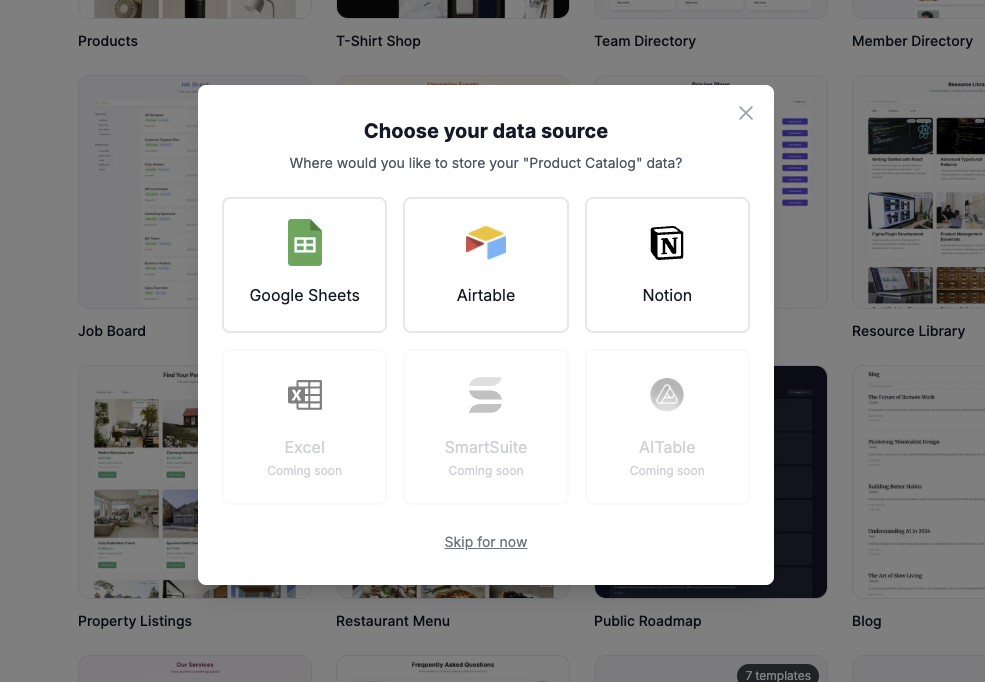
You connect a data source — usually Google Sheets or Airtable — and start building.
Actually, it feels a little like assembling LEGO pieces. The structure already exists; you’re just deciding how things should look and behave.
For creators, marketers, agencies, and small businesses, that simplicity is gold.
Imagine this scenario.
You run a small digital agency and want to create a curated list of marketing tools for your audience. Normally, you’d either:
spend days building a custom site,
hire someone expensive,
or settle for an ugly spreadsheet link.
With Shareables, your spreadsheet becomes the backend, while the platform handles the presentation layer automatically.
That’s where the magic starts.
 Build from live data
Turning Data Into Something That Feels Alive
Most spreadsheets are functional, but let’s be honest — they’re not exactly enjoyable to browse.
Shareables transforms rows and columns into visually organized layouts that feel like real websites instead of raw databases.
And it does this remarkably fast.
You can create:
business directories,
curated resource collections,
affiliate product libraries,
team showcases,
event pages,
dynamic portfolios,
searchable databases,
and embeddable widgets.
The interesting part is how smoothly the syncing works.
Update a spreadsheet entry, and the website reflects those changes automatically. No manual publishing process. No copy-pasting content between platforms.
It’s almost like having a CMS quietly running in the background without the usual technical headaches.
The User Interface Feels Human
Some no-code builders feel engineered by developers for developers. You know the type — endless toggles, cryptic labels, strange workflows.
Shareables doesn’t fall into that trap.
The interface feels approachable, even if you’re not particularly technical.
Well, that doesn’t mean it’s simplistic. There’s enough flexibility to customize layouts, adjust branding, and structure content the way you want. But it avoids drowning users in unnecessary complexity.
That balance is harder to achieve than people realize.
A beginner can launch something useful in a single afternoon. Meanwhile, experienced creators can still shape polished, professional-looking projects without feeling boxed in.
That’s rare territory.
One Feature That Quietly Changes Everything
Real-time syncing deserves more attention than it usually gets.
Here’s why.
Let’s say you manage a remote team directory. Employees join, roles change, contact details update constantly. Traditionally, maintaining that information becomes tedious.
With Shareables, the spreadsheet becomes your control center.
Edit the spreadsheet once, and the public-facing site updates automatically.
No rebuilding pages.
No technical maintenance.
No “Oops, the website still shows outdated information.”
It removes friction in a very practical way.
And friction, more than anything else, is what kills small projects.
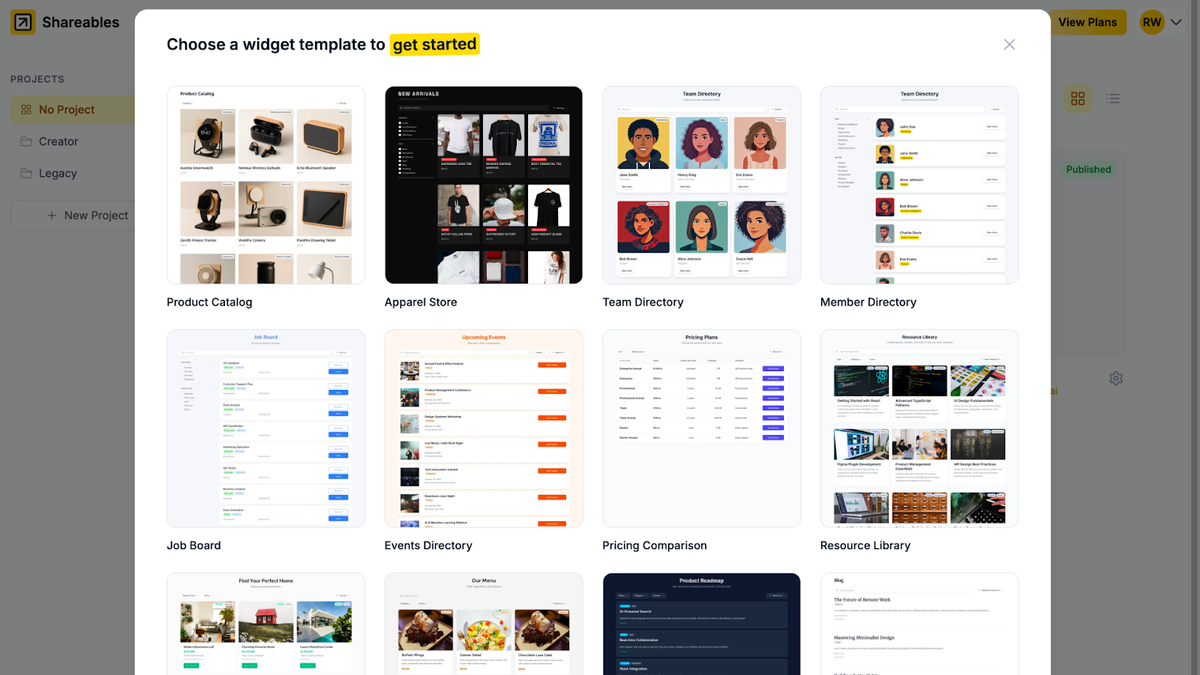 Whip up widgets with templates
Templates That Don’t Feel Generic
A lot of website builders promise templates. Then you open them and realize every site built with the platform looks nearly identical.
Thankfully, Shareables avoids that cookie-cutter feeling better than most.
The templates feel modern, clean, and adaptable. They’re designed to showcase content clearly rather than drowning visitors in flashy effects.
That’s important because readability often matters more than visual theatrics.
For example, a job board built using Shareables actually feels organized and easy to navigate. Search functionality works smoothly. Listings appear structured. Filters help users find relevant information quickly.
It’s functional design rather than decorative clutter.
Honestly, many traditional websites could learn from that philosophy.
Embedding Widgets Is Surprisingly Useful
One underrated aspect of Shareables is the ability to embed sections into existing websites.
This opens interesting possibilities.
Maybe you already have a WordPress site but want a dynamic resource library without rebuilding everything. Or perhaps you need a searchable database embedded inside a landing page.
Instead of creating an entirely separate platform, Shareables lets you integrate components directly into your current setup.
Think of it like adding smart building blocks to an existing structure.
Simple idea. Huge convenience.
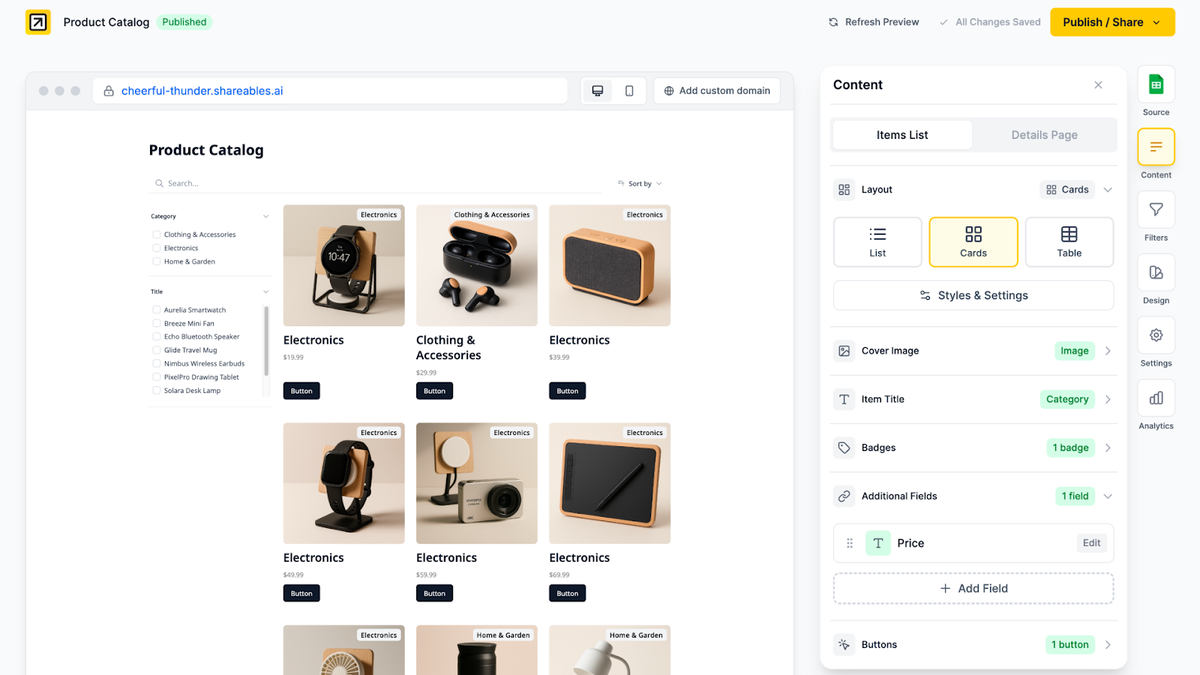
Make your content easy to explore
The Speed Feels Different
Some no-code tools feel heavy. Pages load slowly, editors lag, and workflows become frustrating over time.
Shareables generally feels leaner.
Navigation is smooth. Editing flows naturally. Publishing doesn’t feel delayed or clunky.
Now, is it perfect? No platform is.
But there’s a noticeable absence of unnecessary friction, which creates a smoother overall experience.
That matters because tools should stay out of your way.
The best software often feels invisible.
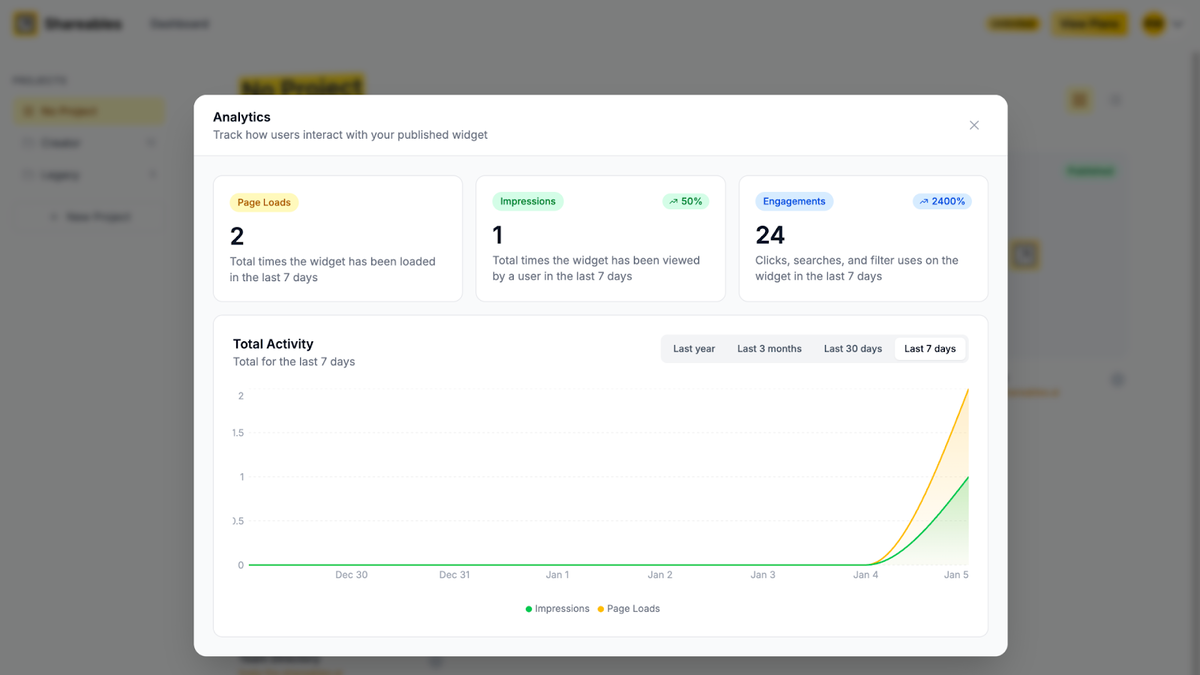 Publish your next website in minutes
Who Will Actually Benefit From Shareables?
This is where things get interesting.
Shareables isn’t trying to replace advanced web development platforms. It’s not pretending to be a full-scale application framework.
Instead, it shines brightest for people who need:
fast deployment,
dynamic content,
simple maintenance,
and visually organized data-driven websites.
Content creators can use it for curated libraries.
Agencies can build client portals.
Recruiters can launch job boards.
Educators can organize learning resources.
Affiliate marketers can create searchable product collections.
Even small communities could use it for member directories or event listings.
That versatility gives the platform broader appeal than you might initially expect.
The Learning Curve Is Surprisingly Gentle
Some platforms advertise “no-code” while secretly requiring hours of tutorials and technical experimentation.
Actually, that’s become pretty common.
Shareables keeps things simpler.
If you understand how spreadsheets work, you already understand the foundation of the platform. That familiarity lowers the intimidation factor dramatically.
You’re not learning an entirely new ecosystem from scratch. You’re extending tools you probably already use daily.
That’s clever design.
Final Thoughts on Shareables
At its core, Shareables succeeds because it solves a very real problem without overcomplicating the solution.
It helps ordinary people build functional, dynamic, visually appealing websites using data they already manage elsewhere.
No coding.
No endless setup process.
No exhausting technical maze.
Just structured information transformed into something useful and accessible.
And maybe that’s why the platform feels so practical.
It doesn’t try to impress users with unnecessary complexity. Instead, it focuses on helping people publish faster, manage content easier, and keep websites updated with minimal effort.
For creators, marketers, entrepreneurs, and businesses looking for a clean bridge between spreadsheets and live web content, Shareables is definitely worth paying attention to.
Sometimes the smartest tools aren’t the loudest ones.
They’re simply the ones that remove obstacles.